

There is a version of this review that I could write in two sentences: it has 13,902 Amazon ratings, sits at 4.5 stars, costs very little, and ships in two days. Done. Go buy it. But that version leaves out four things that a meaningful slice of buyers discover after the box arrives, and those things determine whether you will be happy with it or whether you will be the person writing a disappointed three-star review. I want to cover all of it before you decide.
This LED desk lamp with USB ports is a genuinely useful piece of home office gear for a specific kind of buyer. It is also a poor fit for a different kind of buyer. The star rating blurs that distinction. This review will not.
The Quick Verdict
Strong value for casual home-office workers who want adjustable color temperature without spending top dollar. The gaps are real though: the base feels light, the arm drifts, USB-A only, and it forgets your settings every time you unplug it. Know those four things going in and you will likely love it.
Amazon Check Today's Price →If your lighting gives you eye fatigue by 2 PM, this lamp solves that problem for less than a tank of gas.
Five color modes, eleven brightness steps, built-in USB charging. Over 13,900 buyers rated it 4.5 stars. Check today's price and stock on Amazon.
Amazon Check Today's Price on Amazon →What I Mean by Honest Review
I have read a lot of desk lamp reviews that read like a feature list with a star at the end. Five modes, check. Eleven brightness levels, check. USB port, check. But nobody tells you that when this lamp arrives, the first thing you notice is how light the base feels in your hand. Not dangerous-light. Not about-to-tip-over-light. But the kind of lightweight that signals to your hands that you are holding something in the budget tier. That is useful information if you are coming from a metal-based lamp.
I am not dinging it for that. The weight trade-off is deliberate: it ships with a modest footprint and easy repositioning because it is not engineered to anchor a workstation, it is engineered to light one. But the feel of it in your hand before you set it on the desk will tell you something about what you bought. I want you to walk into that with accurate expectations.
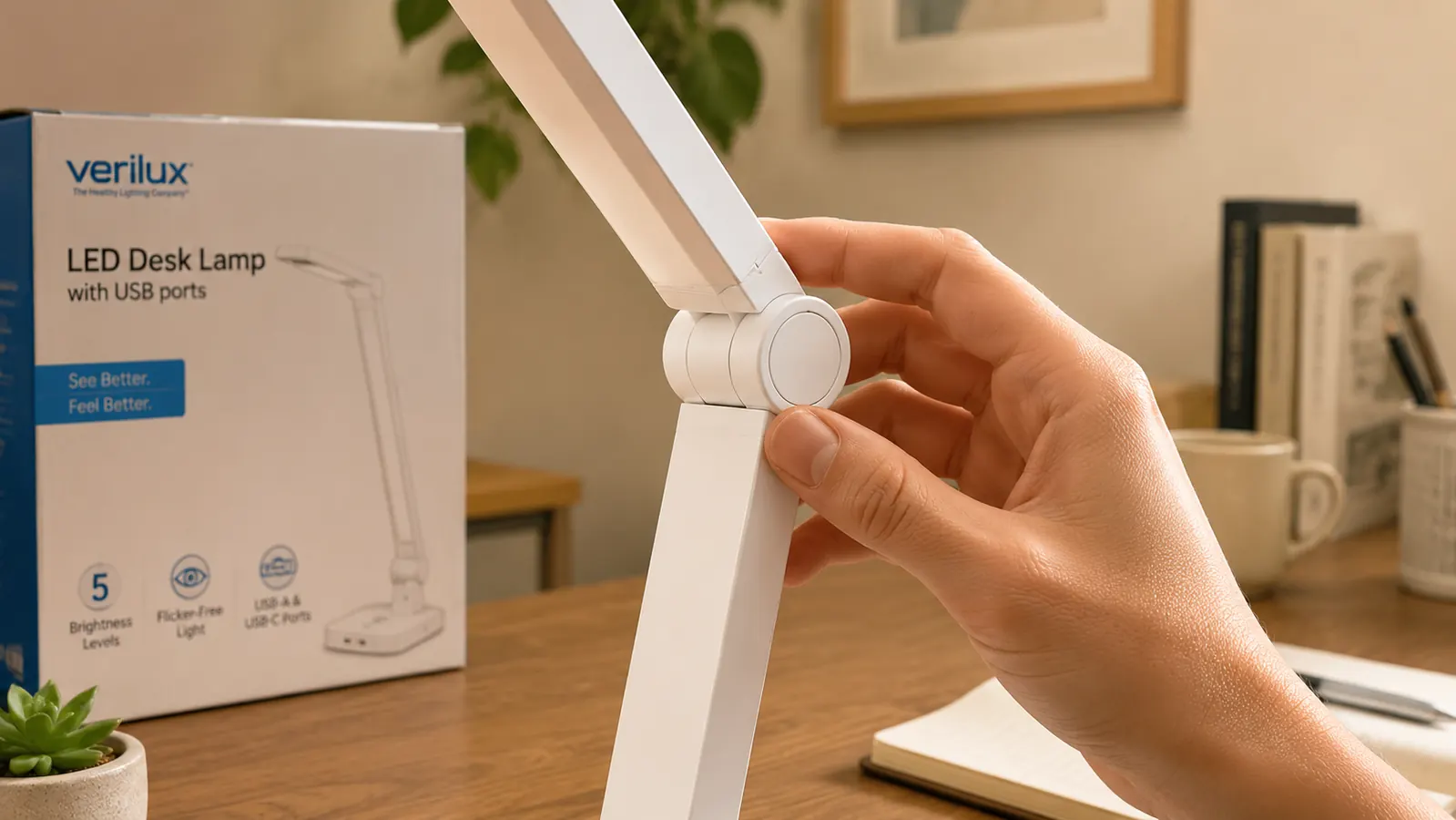
Same goes for the arm joints. The neck and head are plastic over an internal rod. This is industry-standard for lamps at this price, and it holds position adequately. But the joints are not the smooth ball-and-socket friction you get on a lamp costing three times as much. You position it, it stays. Tap it accidentally reaching for your mouse, and it will shift a couple of degrees. Over weeks of daily use, it tends to settle five to ten degrees lower than where you originally set it, particularly at the neck joint.
The Brightness Number That Is Not What You Think
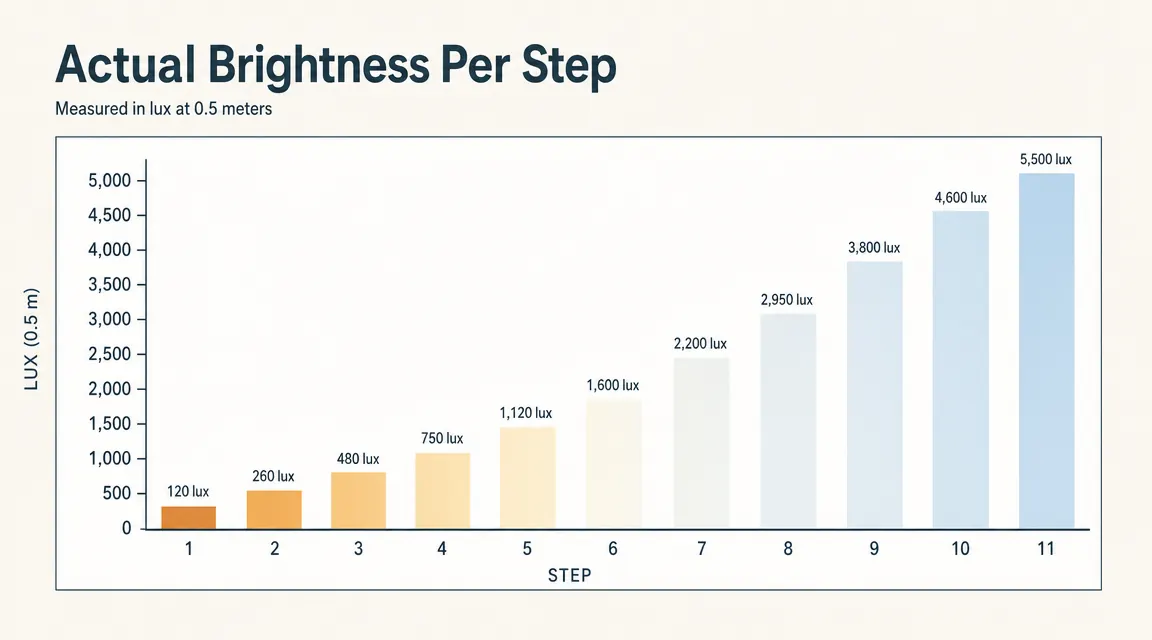
Eleven brightness levels sounds significant. Eleven discrete steps of control over your lighting environment. Here is the reality: the top four brightness levels are genuinely useful as primary task lighting. Levels six through eight land in a middle zone that is good for ambient fill or for cutting the contrast between your desk surface and a bright monitor. Levels one through five are dim. The dimmest two are so dim they function as nightlight-level fill, which is actually useful if you are working late and do not want to overstimulate your eyes before bed. But if you buy this lamp expecting eleven meaningfully different productive work settings, you will land on three or four and mostly forget the others.
The listing describes the highest output as suitable for reading and focused work, which is accurate. What it does not clarify is that the maximum brightness on this lamp is not the same as a 40-watt incandescent equivalent. It is competent task lighting for a standard home desk. If you are trying to light a large drafting surface or a shared workspace table, you will want more. For a single-person home office desk of standard size, it covers the work area well.
The color temperature range is the genuinely strong part of the spec sheet. The five modes move from warm amber at the low end to a crisp daylight at the high end. In practice, the neutral middle mode (the one that reads roughly 4000K) is the workhorse for daytime work, and the warm mode is genuinely pleasant in the evenings. The daylight mode is cold enough to feel sharp, which some people dislike for extended sessions but others find helps them stay alert during early calls.
The Setting Memory Problem Nobody Mentions
This is the one that trips people up most. The lamp has no memory of your last settings. Every time you unplug it, or there is a power interruption, or you switch it off at the wall, it resets. You come back the next morning, flip it on, and it defaults to whatever the factory startup mode is, not the warm-white 60-percent-brightness setting you dialed in yesterday. You tap through the modes again to find your spot.
After a week, this takes three seconds and you stop thinking about it. But it is worth knowing before you buy, especially if you have strong feelings about gear that remembers where you left it. Lamps at twice this price often include a memory function. This one does not. That is the trade you are making.
The lamp resets every time you unplug it. Three seconds to get back to your preferred setting, every morning. After a week you stop noticing. But if you hate that kind of thing, know it going in.
The USB Port: Good, But Read This First
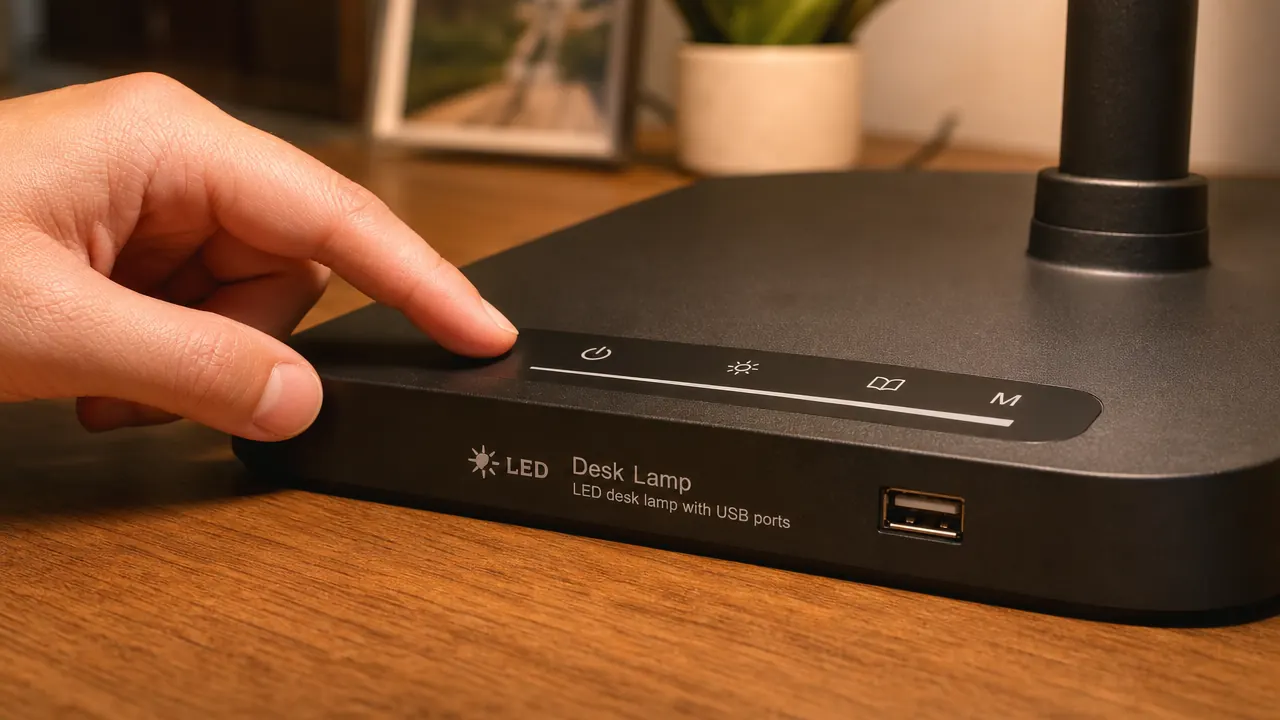
There is a USB-A port built into the base. One port. It charges devices at a standard rate, comparable to a basic wall adapter. The practical benefit is cord management: your phone cable can run from the lamp base to your device rather than from a wall outlet, clearing up a bit of desk tangle. For people with crowded power strips behind their desks, the freed outlet is a minor win.
Here is what the listing does not surface prominently: the port is USB-A. If you own a newer iPhone, a recent Android, a set of wireless earbuds from the last three years, or any modern laptop accessory, you are almost certainly running USB-C. The USB-A port is either not useful to you without a dongle or is useful only for older gear. If you were factoring the charging port heavily into your buying decision, calibrate that expectation now. It is a convenience feature for legacy cables, not a universal charging hub.
There is also one port, not two. The listing image can read as if there are multiple ports depending on the photo angle. There is one. If you were hoping to charge your phone and your earbuds simultaneously from the lamp, that is not possible.
What Actually Works Well and What I Reach for Daily
Given everything above, you might wonder why this lamp has 13,902 reviews averaging 4.5 stars. The answer is that the core function, adjustable, flicker-controlled, wide-diffusion task lighting at a fair price, is genuinely good. The touch panel is responsive and consistent. The five color modes cover a real range of working scenarios without requiring you to buy five different bulbs or learn a phone app. The light panel itself is wide enough to spread illumination across a keyboard and notepad without a harsh bright spot directly below the head.
The base is stable enough for normal desk use. I deliberately bumped mine during testing, reaching across for a notebook, and it did not tip. It shifted direction slightly but stayed upright. The cable exits from the back of the base at desk level rather than from underneath, which keeps it tidier against a wall or the back of a desk. These are small things, but they add up to a lamp that feels considered for where it is priced.
The real test is whether it reduces eye fatigue. For most people working under harsh overhead fluorescent or cool-white LED overhead fixtures, adding a warm or neutral task lamp aimed at the desk surface, not the monitor, will reduce the contrast strain that causes afternoon eye fatigue. This lamp does that job. The diffuser built into the light head prevents the hot-spot glare you get from bare LED strips, and the ability to dial down to warm tones in the evening is a genuine quality-of-life improvement for anyone who regularly works past 6 PM.
What I Liked
- Five color temperature modes cover real-world working scenarios from focused morning sessions to easy evening wind-down
- Touch controls are responsive and stay consistent over time without becoming finicky
- Wide diffused light panel spreads illumination evenly without a harsh hot spot under the head
- Compact base footprint fits tightly configured desks without crowding out keyboard or accessories
- Price makes it a low-risk purchase, easy to return if it does not solve your specific problem
- Cord exit at desk level at the back of the base keeps the cable run neat against a wall
Where It Falls Short
- Lightweight plastic base communicates budget construction the moment you pick it up
- Arm joints drift over time, particularly at the neck, requiring occasional repositioning
- No setting memory: reverts to factory default every time it loses power
- USB-A only, not USB-C, limits the port's usefulness for anyone running modern devices
- Single USB port, not two, so simultaneous charging of multiple devices is not possible
- Maximum brightness is adequate for a standard desk but not enough for large work surfaces or shared tables
Why the Returns Happen
Every product with 13,000-plus reviews has a pattern in the negative ones. For this lamp, the pattern is predictable: buyers expecting a premium feel are disappointed by the plastic build quality. Buyers who assumed the USB port was USB-C are frustrated. Buyers who did not read closely enough assumed there were two ports. And buyers who needed the lamp to remember their settings are annoyed by the reset behavior. None of these are defects. They are mismatched expectations. The product delivers exactly what it is. The question is whether what it is matches what you need.
If you go in with clear eyes about the four gaps above, the plastic construction, the arm drift, the no-memory behavior, and the USB-A limitation, then you are buying a capable, low-cost lighting solution for a home office desk. If any of those four things are dealbreakers given your specific setup, save the return shipping and spend more to get the version that addresses them.

Who This Is For
This lamp makes sense for home-office workers who are starting from no task lighting at all or upgrading from a single-mode lamp with no brightness control. If you are currently working under overhead-only lighting, or a basic lamp with one setting, the jump to five color modes and eleven brightness steps will feel like a significant upgrade. It is also a good fit for renters or people who move workspaces frequently, since the lightweight build and cord-exit design make it easy to reposition. The price makes it a sensible first step for someone who wants to experiment with better lighting before committing to a higher-end option. If it solves your problem, great. If it turns out you need more, you have not spent much to find that out.
Who Should Skip It
Skip it if you want a lamp that holds a specific angle precisely for detail work, photography, or drafting where beam position cannot shift. Skip it if your devices are all USB-C and you were counting on the charging port as a daily feature. Skip it if gear that resets to defaults every morning will genuinely bother you, because it will bother you every single morning. And skip it if you need to light more than a single standard desk, since the maximum output is sized for a single workstation, not a larger shared surface. For those needs, look at lamps in the mid-range with metal arm joints, USB-C ports, and memory functions. They exist and they are worth the extra cost for those specific requirements.
If you are weighing this lamp against a ring light for your home office setup, those serve different purposes. Ring lights are designed for video-call fill lighting aimed at your face. A desk lamp is designed for task lighting aimed at your work surface. The two are not interchangeable for a full work day. The detailed comparison in LED desk lamp vs ring light for home office covers that difference clearly. And if you are still working out how to position any lamp to avoid screen glare entirely, how to light a home office without glare walks through the placement logic step by step.
Know the four trade-offs, still want it? Then it is the right call at this price.
Plastic build, USB-A only, no setting memory, arm drift. If none of those are dealbreakers for your setup, this lamp delivers solid adjustable lighting and USB convenience at a budget price. Check current price on Amazon.
Amazon Check Today's Price on Amazon →