

If you have more than three cables running from your desk to the wall, you have probably stood behind your workstation at some point and thought: there has to be a better way. Cable boxes and under-desk trays are the two most common answers people land on. I have tried both. They solve slightly different problems, and buying the wrong one means you end up with the same mess you started with, just in a different location.
The short answer: a cable management box is good for one thing, hiding a power strip neatly when that power strip lives on the floor or a shelf. An under-desk cable tray is better for most home offices because it moves everything, including the power strip itself, up off the floor and out of sight entirely. If you are wrangling a real desk setup with a monitor arm, laptop charger, USB hub, and a few other peripherals, the tray is almost certainly the right call.
| Under-Desk Tray | Cable Box | |
|---|---|---|
| Mounting | Adhesive strips on desk underside, no screws, no damage | Sits on floor or shelf, no mounting required |
| Visibility and floor clutter | Cables fully elevated, floor stays completely clear | Box itself sits on the floor, one cord still visible running in |
| Capacity | Holds power strip plus 6-8 cables bundled alongside it | Fits one standard power strip, sometimes a second short cable |
| Access for changes | Slide tray out from under desk to add or remove cables anytime | Flip open the lid, swap the power strip, close it again |
| Heat and ventilation | Open tray design, good airflow around power strip and cables | Enclosed box traps heat from a loaded power strip, use with caution on high-draw setups |
| Install effort | Under 15 minutes: clean surface, peel backing, press, load cables | Under 5 minutes: set on floor, plug in, route cord, close lid |
| Best use case | Full desk cable routing, multiple peripherals, standing desk setups | Hiding a single power strip in one fixed location |
Where the Under-Desk Tray Wins
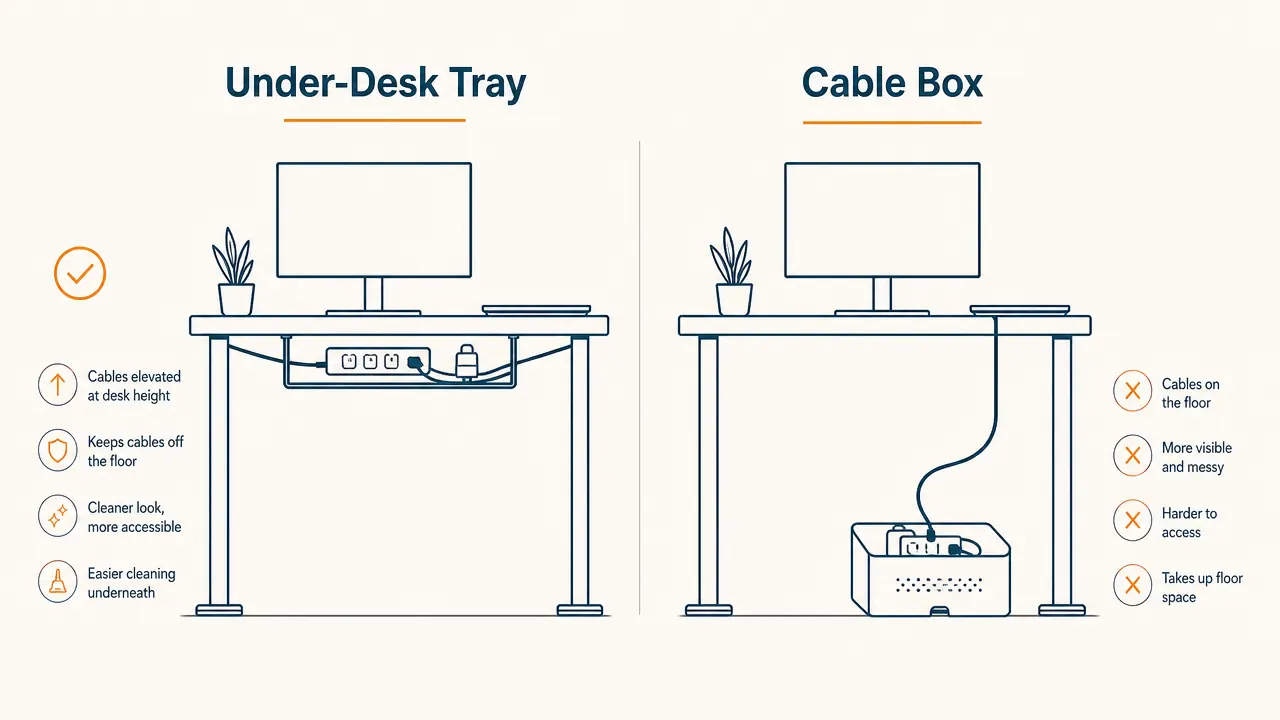
The single biggest advantage of an under-desk cable tray is elevation. Your power strip, chargers, and all the loose cable runs between them live underneath your desk surface instead of on the floor. That matters more than it sounds. When I finally moved my power strip off the floor and into the tray under my standing desk, the whole room changed. Vacuuming became simple again. There was nothing to step around or accidentally kick when I was getting up and sitting down. The floor looked like a floor instead of a cable graveyard.
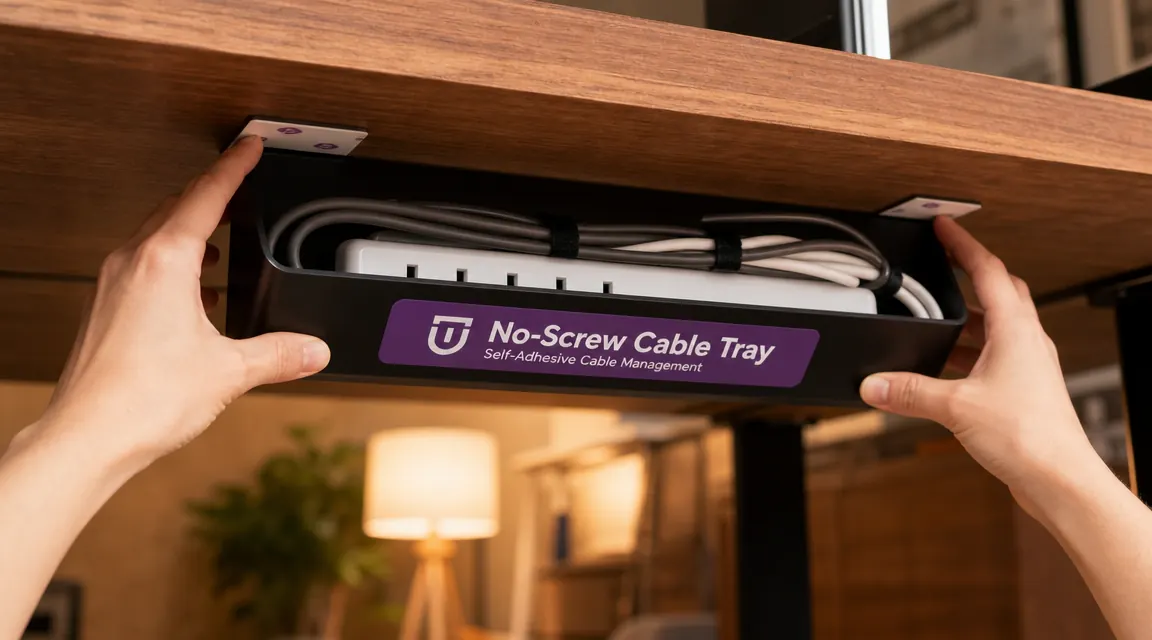
The no-screw, self-adhesive installation on the tray I use (the No-Screw Under Desk Cable Management Tray, ASIN B09J5HH2LR, rated 4.5 stars across 6,611 reviews) is genuinely well designed for renters and anyone who does not want to drill into a nice desk. You clean the surface, peel the backing off the adhesive pads, press it up for about 30 seconds, and wait an hour before loading it heavy. I loaded mine with a six-outlet power strip and four bundled cables and it has not shifted since. The open wire frame design also means heat dissipates easily, which matters when you have a power strip with several things drawing current.
Your power strip belongs under your desk, not on your floor
The No-Screw Under Desk Cable Management Tray mounts with adhesive, holds your power strip and cables together, and installs in under 15 minutes. No drill, no damage, no cables touching your floor.
Amazon Check Today's Price on Amazon →Capacity is the other area where the tray pulls ahead for real desk setups. Most people working from home have a monitor or two, a laptop charger, a desk lamp, maybe a USB hub, sometimes a speaker or a webcam. That is five to eight cables minimum. A tray holds all of them in one organized run. A cable box simply cannot do that. It has room for a power strip and not much else.
Where the Cable Box Wins
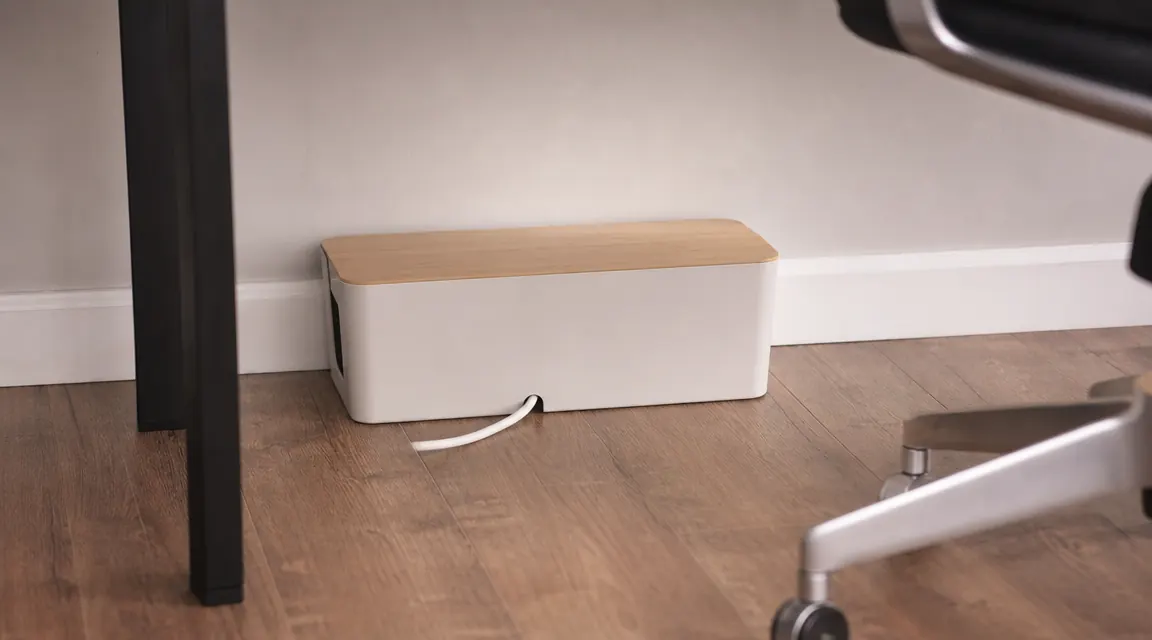
I want to be straight with you: a cable box does one specific job well. If you have a single power strip sitting in a visible spot on the floor, or on a shelf behind your desk, and you just want something tidy to put over it, a cable box is faster and cheaper than any other option. There is no installation at all. You open the lid, set the power strip inside, route the power cable through the opening at the back, close the lid, and you are done in under five minutes.
It is also the right call if your lease or desk material makes any adhesive feel risky. Some glass desks, painted or lacquered surfaces, and certain laminates can be tricky for adhesive mounting. If you have any doubt about the surface under your desk, a cable box that just sits on the floor removes that concern entirely. The downside is that the box itself is still a floor object. It does not eliminate the floor clutter, it just makes that clutter more organized.
A cable box hides the mess. An under-desk tray removes it from the floor entirely. Those are two different outcomes, and only one of them makes your workspace feel genuinely clean.
The Heat Question Nobody Talks About
This is the part most comparison articles skip. Cable boxes are enclosed. If you are running a power strip with a monitor, a desktop computer, and a few USB chargers all drawing power, that strip generates heat. An enclosed box holds that heat in. Most cable boxes sold for home use are made of plastic, which does not dissipate heat particularly well. I am not saying they are dangerous, but I would not put a heavily loaded power strip in an enclosed plastic box and forget about it. If your power strip handles lighter loads, phones, lamps, laptop chargers, you will be fine. If it is running serious gear, the open tray design is the safer and smarter choice.
The under-desk tray sits in open air under your desk. The wire frame construction lets air circulate freely around the power strip and cables. I have never noticed it running warm, even with a standing desk power supply, two monitor cables, and a laptop charger all running through it at once.
Who Should Buy Which
Buy the under-desk tray if you have a real desk setup with multiple peripherals, you want cables completely off the floor, you have a standing desk that moves (cable management that moves with the desk rather than dangling from a fixed floor box), or you are a renter who cannot drill. The adhesive mount on the no-screw tray is solid on wood, MDF, and most laminates. It holds up fine through daily use and the routine movement of a height-adjustable desk. If you want to go deeper on the long-term install experience, the dedicated review at under-desk-cable-tray-review-long-term walks through six months of daily use in detail.
Buy the cable box if your only goal is tidying up a single power strip in one fixed location, the floor position works fine for your layout, you want the absolute fastest install possible, or you have a surface where adhesive is not a good idea. It is a perfectly solid solution for that narrower job. Just know going in that the box stays on the floor, one cable still has to run into it, and that is the trade-off.
If you are still deciding between approaches and want a full step-by-step method for hiding cables without any tools or drilling, the how-to guide at how-to-hide-desk-cables-without-drilling covers the whole process, including where the tray fits into a complete cable routing setup from desk edge to wall.
Most home offices need a tray, not a box
If you have more than one peripheral plugged in, the No-Screw Under Desk Cable Management Tray does the job cleanly. Self-adhesive, no damage, holds your full power strip and cable bundle out of sight under your desk.
Amazon Check Today's Price on Amazon →